 Hayami
Intelligent traffic management for Azure, no load balancers required
DTM is a self-hosted, DNS-based traffic manager for Azure. Health-aware load balancing and regional routing across your VNets, without paying for Azure Traffic Manager, Load Balancer or Application Gateway.
A self-hosted alternative to Azure Traffic Manager + load balancers, with health-aware routing across your VNets, for a fraction of the cost.
Load balancing, no extra services
Health-probed, DNS-based traffic distribution built in, with no separate Azure Load Balancer, Application Gateway or Traffic Manager to provision or pay for.
Azure-native & VNet-aware
Point your VNet’s DNS at DTM and every resource resolves through it, with no per-resource setup. It discovers your VNets, subnets and Private Endpoints, routes by region, and manages traffic within and across VNets.
Cheap to run, hard to kill
A lightweight, fully meshed cluster in your own subscription. Self-healing, with automatic failover and no single point of failure.
How it works
Health-aware, DNS-based traffic management running in your own subscription.
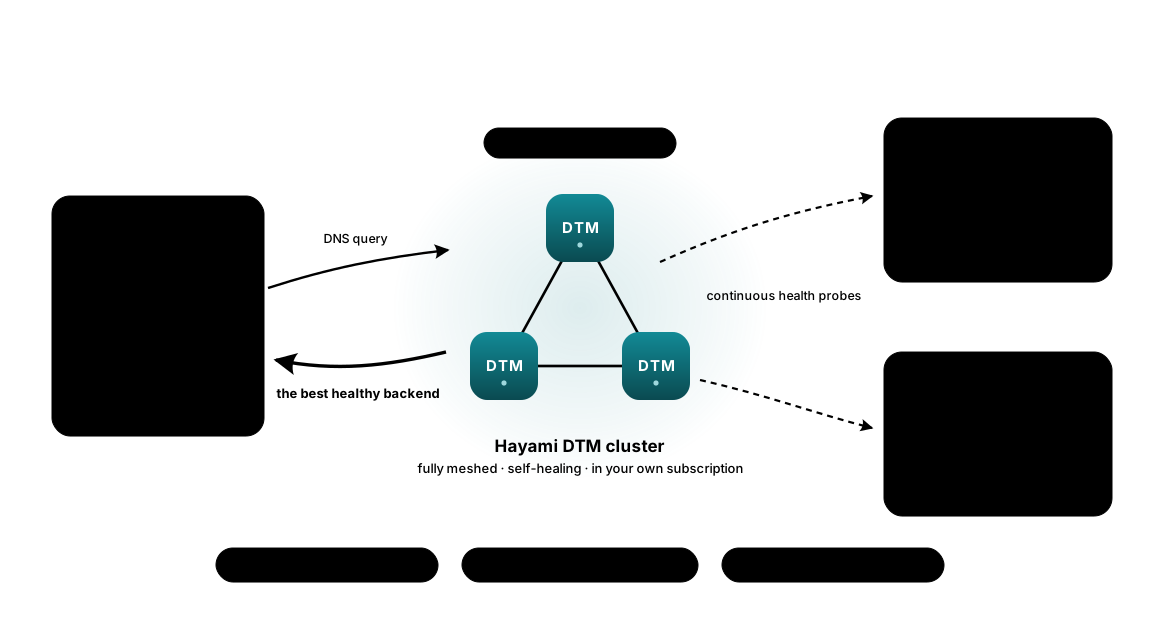
Under the hood, DTM is a standards-compliant authoritative DNS server: core DNS (RFC 1034/1035), EDNS(0) (RFC 6891), DNS-over-TLS (RFC 7858) and DNS-over-HTTPS (RFC 8484), with dynamic updates (RFC 2136) secured by TSIG (RFC 8945). Traffic management is built into the DNS layer, not bolted on.
A traffic manager that thinks like your infrastructure
See the product
DTM ships with a full management web UI, served from the cluster itself: nothing to install, nothing exposed outside your VNet. Zones, records, health, forwarding, users, and upgrades are all point-and-click; the same operations are scriptable over the API and Terraform.
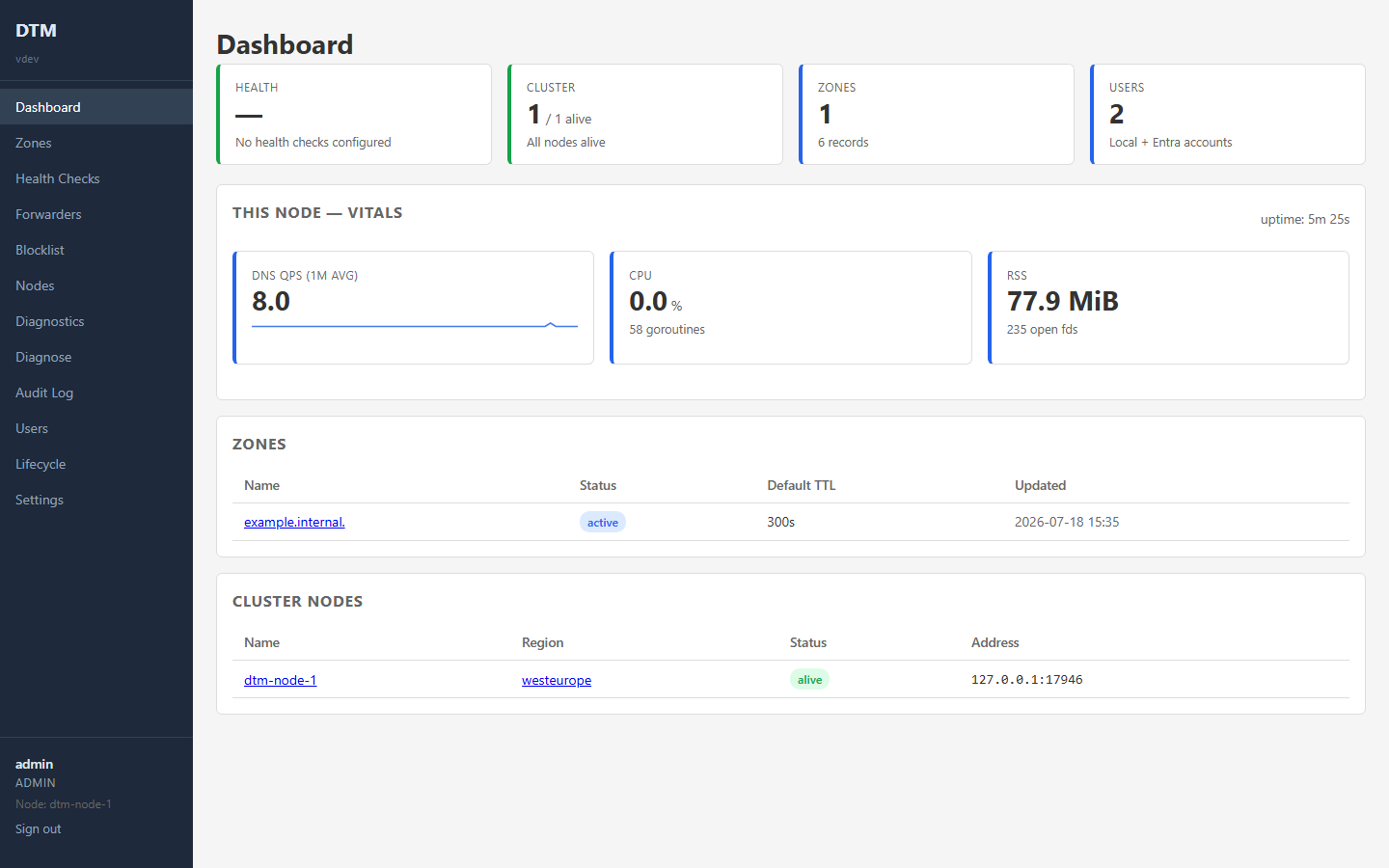
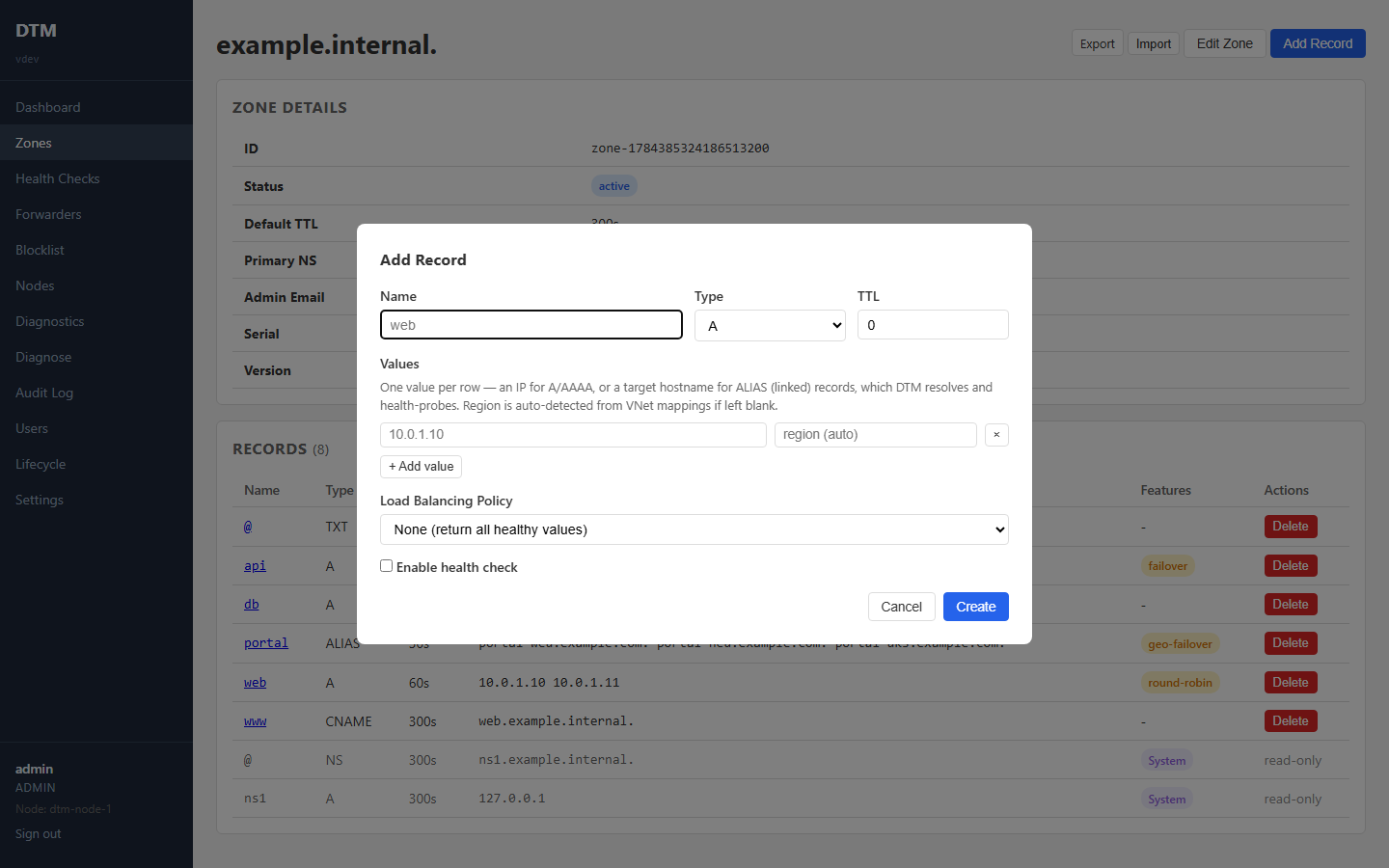
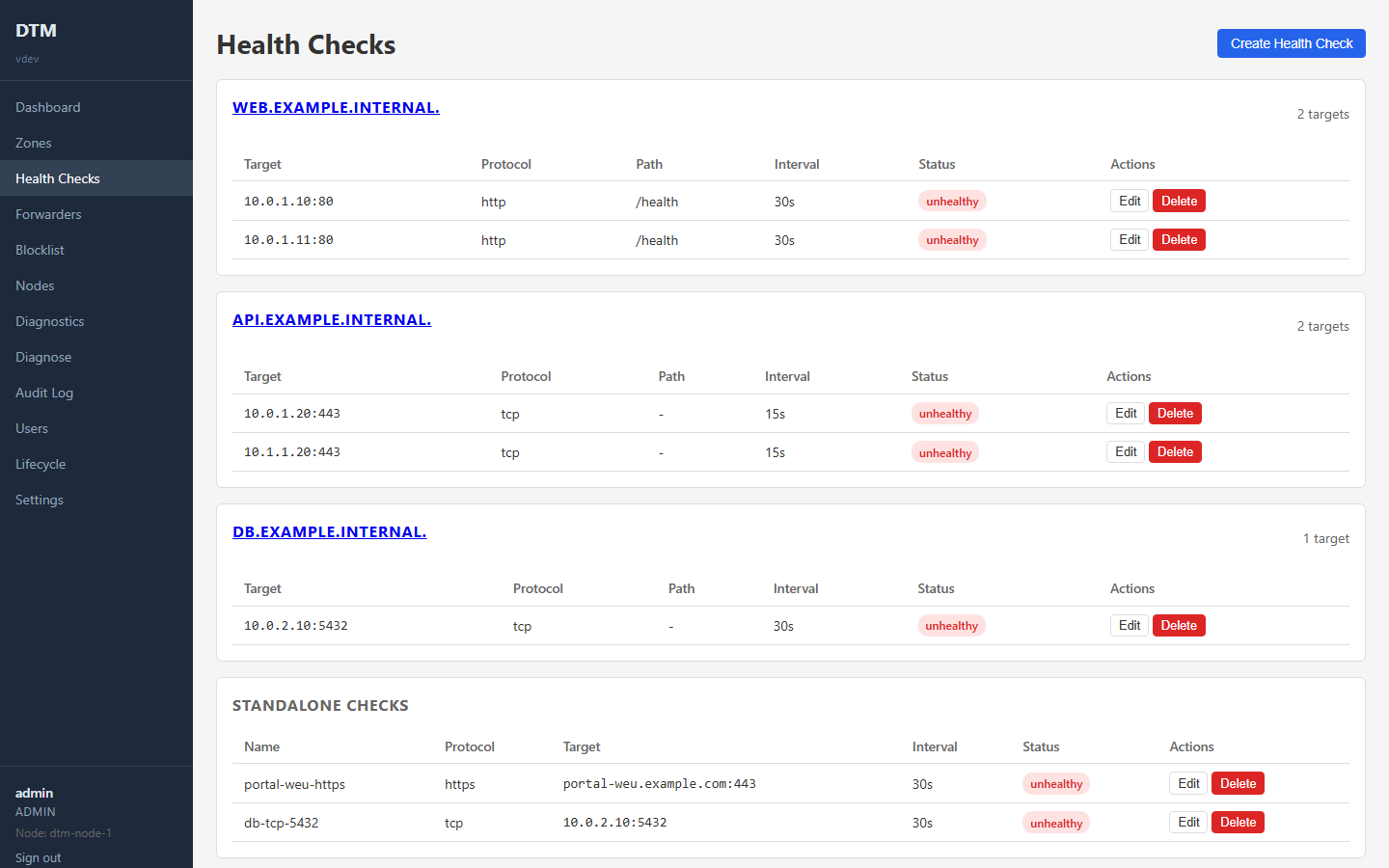
Take the full tour in the docs:using the web UI.
Built for the way you ship
Everything DTM does is a REST call and a Terraform resource, so traffic policy is automated with the same IaC as the rest of your deployment: complete control, end to end.
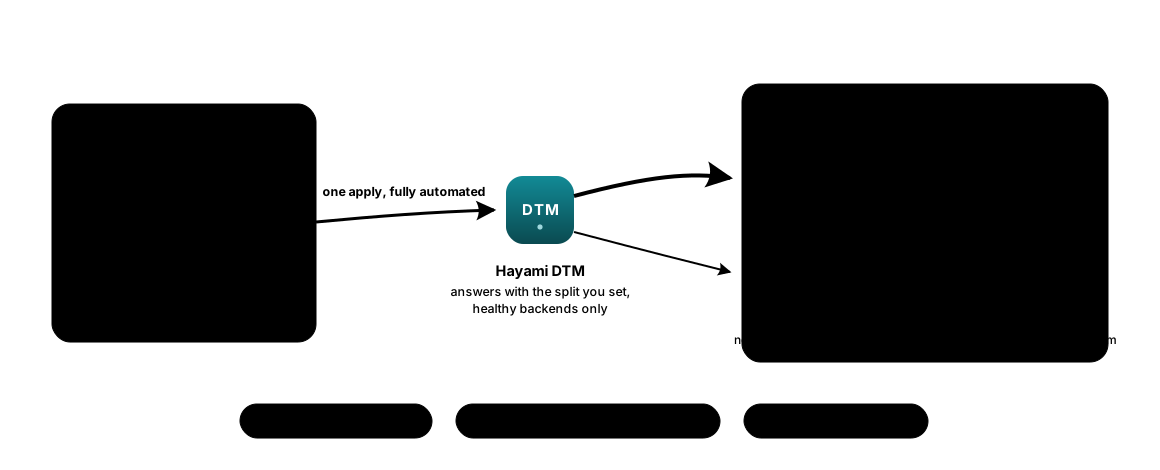
Canary and blue/green, from your pipeline
One apply weights roughly 10 percent of traffic to the new build; the next makes it 50, then all of it. The split is DNS-coarse, so treat the weights as steps rather than exact percentages. A weight of zero keeps the old build warm and health-checked for instant rollback, and a failing canary drops out of the answer on its own.
DNS and traffic policy as code
Records, health checks, failover order and canary weights live in a repo and apply with a plan you can read. Out-of-band edits show up as drift and get put back; a scoped CI role and the audit log keep it accountable. Service-account tokens and user passwords are write-only: minted at apply time and never written to Terraform state.
Governed from day one
DTM ships an Azure Policy governance pack: 8 controls (7 auditing by default) plus an initiative, so your landing-zone compliance view covers the deployment and DNS adoption from the first apply, without ever blocking DNS.
Terraform provider · Weighted policies · Azure Policy pack · See all use cases →
How DTM compares
DTM is DNS-based, most directly an alternative to Azure Traffic Manager. It complements (rather than replaces) the L4/L7 proxies, so the L7 row is honestly a “no”.
| DTM | Traffic Manager | Load Balancer | App Gateway | Front Door | |
|---|---|---|---|---|---|
| Mechanism | DNS-based | DNS-based | L4 (pass-through) | L7 proxy | L7 edge |
| Works inside a private VNet | ✓ | ✗ | ✓ | ✓ | ~ |
| Health-probe routing | ✓ | ✓ | ✓ | ✓ | ✓ |
| Cross-region / global | ✓ | ✓ | ~ | ✗ | ✓ |
| Cross-VNet traffic management | ✓ | ✗ | ✗ | ~ | ~ |
| Self-hosted (you run & control it) | ✓ | ✗ | ✗ | ✗ | ✗ |
| No per-query / per-rule / per-GB fee | ✓ | ✗ | ✗ | ✗ | ✗ |
| L7 features (TLS, WAF, path routing) | ✗ | ✗ | ✗ | ✓ | ✓ |
✓ yes · ~ partial · ✗ no
Traffic Manager is designed for internet-facing endpoints and can’t route for clients on, or health-probe services behind, a private VNet.
Front Door’s client edge is public (origins can be private via Private Link).
“Self-hosted” means you run and control the software on your own VMs (and own its upgrades); Load Balancer and Application Gateway are deployed in your subscription/VNet but are Microsoft-managed services.
“No per-query / per-rule / per-GB fee” means no Azure usage meter on your DNS traffic: DTM bills a flat software rate per node while its VM runs, plus your normal Azure infrastructure costs (compute, disk, networking).
Capabilities per Microsoft Learn, 2026.
Deeper dives: DTM and Azure DNS Private Resolver · DTM and BIND 9
Cross-region load balancing for private resources, finally simple
Load-balancing private resources across regions has always been awkward on Azure. Traffic Manager is internet-facing only; the cross-region Load Balancer is public-frontend only (it won’t even take an internal load balancer as a backend); Application Gateway is single-region. So teams stitch together paired regional load balancers, custom DNS and home-grown failover, which is difficult to build and costly to maintain.
DTM solves this directly: health-aware, regional, cross-VNet traffic management for your private endpoints from a single lightweight service you run yourself. It is cheaper to operate, resilient by design, Azure-aware out of the box, and your traffic and DNS data never leave your subscription.
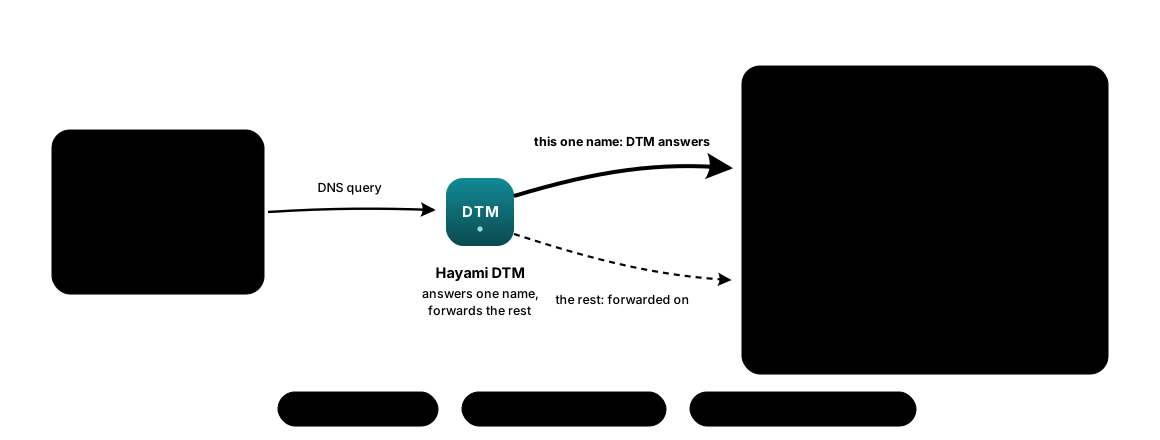
Start with one name
You do not migrate your DNS to try DTM. Point it at your existing zone as a forwarder, override the one name that keeps paging you, and give it health checks and cross-region failover this afternoon. Every other name resolves exactly as it did yesterday, and removing the override is one call.
Built for locked-down networks
DTM is DNS for private networks, so it is built to live in one: self-hosted, auditable, and answerable to your security review.
Reliability is published too: DTM is engineered to SLO targets (99.95% DNS answer success, p99 latency under 10 ms) that you can verify from your own metrics. Every deployment includes support; a formal, SLA-backed support tier is available separately under a written agreement.